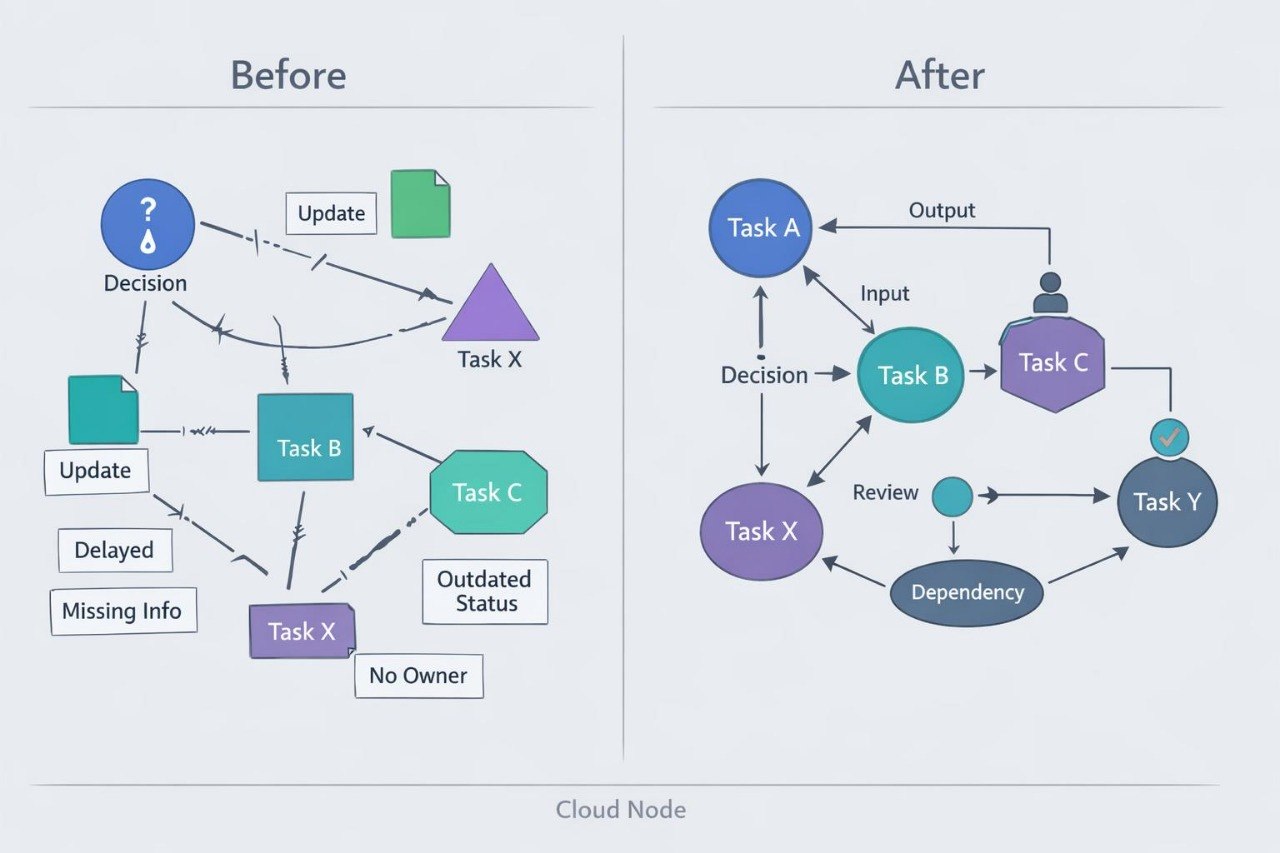
Turning Complex Processes into a Clear System

Our mission is to help people develop skills in planning, coordination, documentation, and digital project analysis. We combine thematic modules, working examples, diagrams, and assignments so learners can examine project processes in a consistent sequence.

  • GitHub logo with a black circle and white silhouette of a cat.
  • LinkedIn logo on a white background
  • Black circle with a white 'M' in the center

Iterava Began with a Question: How Should a Project Move Forward?

Iterava began after our team observed digital projects where tasks, timelines, roles, and decisions were stored separately and often lost their connection. We decided to create courses that present Digital Project Management as one connected system of stages, workflows, and team activities.

  • Randi Little

    Randi Little

    Resource Planning Coordinator

    Connects tasks with available time,

    assigned roles, and team workload.

    Participates in priority reviews when

    timelines or the amount of work

    changes.

  • Oliver Jacobs

    Oliver Jacobs

    Digital Project Manager

    Coordinates digital projects from

    the initial outline to the closing review.

    Brings timelines, tasks, roles, and

    checkpoints into one working

    structure.

  • Lula Cross

    Lula Cross

    Quality Review Lead

    Organizes reviews of intermediate

    materials and stage completion

    criteria. Records observations,

    follow-up actions, and the results

    of further reviews.

Look Inside the Learning Route

Explore the general topics, content, and direction of the Iterava course collection. Each course covers a different area of Digital Project Management, from initial planning to the coordination of multi-layer workflows. The previews help you compare modules, learning assignments, and final materials. Select Preview Courses to review the collection in greater detail.

  • A stylized circular graphic with six rounded petal-like shapes radiating from a central white circle, shown on a solid black background.

    Connected Approach

    Each topic demonstrates

    the relationship between

    goals, roles, tasks,

    timelines, and decisions.

  • A minimalist vector-style diagram on a white background showing a central gray cube connected to six surrounding hexagonal icons, with one teal icon containing a white checkmark.

    Working Scenarios

    The materials examine

    changing requirements,

    dependencies, task

    handoffs, and team review

    situations.

  • A minimalist geometric logo or icon featuring a central hexagonal shape with a faceted teal and dark gray center, connected to four stylized elements including cubes and diamond-like shapes on a plain white background.

    Detailed Materials

    Courses contain

    explanations, process

    maps, review questions,

    and assignments for

    independent study.

  • A minimalist circular diagram with a central hub and six radiating lines ending in circles, shown on a plain white background.

    Sequenced Modules

    Topics progress from

    foundational concepts to

    multi-layer digital project

    coordination.

  • Mariana Wood

    Mariana Wood

    Mariana began studying when she started participating in

    projects involving several teams and a large number of

    connected updates. She valued the organization of the topics,

    the information-route diagrams, and the exercises for defining

    responsibility areas.

    “After each module, I could apply one model to my own working

    scenario and describe the connections between teams more

    accurately.”

  • Desiree Strong

    Desiree Strong

    Desiree worked with project records, but decisions, changes,

    and open questions were often stored without a shared format.

    She found the record templates, checkpoint examples, and

    explanations of how one change can affect several work areas

    particularly useful.

    “I revised the way I organize project records and began

    separating decisions, changes, dependencies, and follow-up

    actions.”

30-Day Money-Back Guarantee

Try the course risk-free. If you're not satisfied for any reason, get a full refund. No questions asked. Refund requests may be submitted within 30 days in accordance with our Refund Policy.

  • A black tablet device shown at an angle on a plain white background, with the screen displaying the text 'Anchor Stream' over a geometric abstract graphic.
  • A hand holding a black smartphone against a solid white background. The screen of the phone displays the 'Axis Link' software interface.
  • A dark gray laptop shown open against a plain white background, with the screen displaying a graphic that reads 'Layer Sphere'.

A Resource for Your First Step

Begin exploring Digital Project Management with an introductory Iterava material. It covers the main terms, roles, stages, and connections that shape a digital project. The material provides a useful overview before you choose a further learning route. Select Get Free to receive the introductory resource.